Hooks
Hooks are HTTP requests that your Webround site's Router executes on the edge, during page load, before the content reaches the user's browser.
Each hook points to an external endpoint that you control. Webround makes the call, receives the response, and injects the result into the page — allowing you to enrich the rendering with completely custom data or logic without touching the site's code.
The Vision
Webround is a multi-tenant cloud platform. This means you cannot "open the server" and inject custom logic as you would with an on-premise installation.
Hooks solve this problem elegantly: instead of hosting your logic on Webround's server, you host it yourself, on a service you fully control. Webround simply calls it at the right time.
This approach has a major architectural advantage: total isolation between tenants. Your logic lives in your personal system and is not shared with any other tenant on the platform. If you want to update, replace, or shut down your service tomorrow, you do so with complete autonomy and freedom.
Configuration
Each hook is configurable with:
| Parameter | Description |
|---|---|
| URL | The external endpoint Webround will call |
| Method | GET, POST, PUT, PATCH, DELETE |
| Body | Optional payload to send with the request |
| Pages | Page patterns to activate the hook on (e.g., *, /product/*) |
| Audience | all, human, bot — useful for dynamic rendering |
| Timeout | Maximum wait time in milliseconds (500–10000) |
| Secret | If enabled, Webround signs each request with HMAC-SHA256 |
Hooks also work within the Webround editor, with one key difference: in the editor, the page filter is not applied. All configured hooks are executed regardless of the page you are viewing. Page pattern filtering is active exclusively on the production site.
How Data is Injected
When your endpoint responds, Webround always expects a response in the form:
{ "data": { ... } }
The content of data is injected into the page based on the injection type configured on the hook (inject):
| Type | Behavior |
|---|---|
window | Data is exposed as window.__WR_APPS__["slug"] — accessible by any script on the page |
head-script | The content of data is injected as a <script> in the <head> |
head-style | The content of data is injected as a <style> in the <head> |
json-ld | Data is injected as <script type="application/ld+json"> in the <head> |
body-start | Content is injected immediately after the <body> tag |
body-end | Content is injected before the </body> closing tag |
The window type is the most common for data integrations: it makes data available globally in the browser, where your frontend can read and use it freely.
// In your frontend
const reviews = window.__WR_APPS__["trustpilot"];
console.log(reviews.average); // 4.7
Authentication
If you configure a hook with a secret, Webround generates a random key and returns it to you only once at the time of creation. It is never shown again and is never decrypted by Webround except to sign the request to you.
Every call to your endpoint will include these headers:
X-WR-Timestamp: 1745000000
X-WR-Signature: t=1745000000,v1=a3f9c2...
The signature is calculated as:
HMAC-SHA256(secret, "{timestamp}.{METHOD}.{pathname}.{body}")
where body is the request payload (empty string if absent).
Validation
export default {
    async fetch(request, env) {
        const signature = request.headers.get('X-WR-Signature');
        const timestamp = request.headers.get('X-WR-Timestamp');
        const secret = env.HOOK_SECRET;

        if (secret) {
            if (!signature || !timestamp) {
                return new Response(JSON.stringify({ error: 'Missing signature' }), { status: 401 });
            }

            const ts = parseInt(timestamp);
            const now = Math.floor(Date.now() / 1000);
            if (Math.abs(now - ts) > 30) {
                return new Response(JSON.stringify({ error: 'Timestamp expired' }), { status: 401 });
            }

            const match = signature.match(/t=(\d+),v1=([a-f0-9]+)/);
            if (!match) {
                return new Response(JSON.stringify({ error: 'Invalid signature format' }), { status: 401 });
            }

            const method = request.method.toUpperCase();
            const pathname = new URL(request.url).pathname;
            const body = '';
            const payload = `${timestamp}.${method}.${pathname}.${body}`;

            const key = await crypto.subtle.importKey(
                'raw',
                new TextEncoder().encode(secret),
                { name: 'HMAC', hash: 'SHA-256' },
                false,
                ['verify']
            );

            const sigBytes = Uint8Array.from(
                match[2].match(/.{2}/g).map(b => parseInt(b, 16))
            );
            const valid = await crypto.subtle.verify(
                'HMAC', key, sigBytes,
                new TextEncoder().encode(payload)
            );

            if (!valid) {
                return new Response(JSON.stringify({ error: 'Invalid signature' }), { status: 401 });
            }
        }

        // Your logic here
        const data = { ... };

        return new Response(JSON.stringify({ data }), {
            headers: {
                'Content-Type': 'application/json',
                'Access-Control-Allow-Origin': '*'
            }
        });
    }
}
The timestamp check neutralizes replay attacks: an attacker who intercepts a legitimate request cannot re-send it after the 30-second window has expired.
Example: Trustpilot Reviews
Suppose you want to display your store's review data on product pages. Instead of querying Trustpilot directly from the browser — exposing your credentials — you create an intermediate endpoint that Webround calls on the edge side.
Hook Configuration:
| URL | https://hooks.example.com/trustpilot |
| Method | GET |
| Inject | window |
| Pages | /product/* |
| Audience | human |
| Secret | enabled |
Your endpoint (/trustpilot) — Implemented however you want:
export default {
    async fetch(request, env) {
        // ... signature validation (see above) ...

        const data = {
            average: 4.7,
            count: 128,
            distribution: { 5: 89, 4: 24, 3: 10, 2: 3, 1: 2 },
            featured: [
                { author: "Marco R.", rating: 5, text: "Excellent product, fast delivery.", date: "2024-03-10" },
                { author: "Giulia T.", rating: 4, text: "Good quality, satisfied with the purchase.", date: "2024-02-28" },
                { author: "Luca M.", rating: 5, text: "Perfect, I would buy it again.", date: "2024-01-15" },
            ]
        };

        return new Response(JSON.stringify({ data }), {
            headers: {
                'Content-Type': 'application/json',
                'Access-Control-Allow-Origin': '*'
            }
        });
    }
}
On your site, data is accessible at:
const reviews = window.__WR_APPS__["trustpilot"];
// { average: 4.7, count: 128, featured: [...] }
The hook is configured with a human audience — bots do not receive the widget, but this does not affect SEO indexing because the data relevant to Google (product name, price, description) is already present in the static page rendering.
A Flexible Approach
With an on-premise installation, you are bound to the technology of the system that manages your site. Want to add custom logic? You have to do it in the same technology as the server or install additional software and make the pieces communicate in often awkward ways.
With other cloud systems, you end up installing expensive third-party apps of questionable quality, sharing secrets and permissions you don't control — exposing yourself to security issues that depend on someone else's solidity, not yours.
With Webround, you use the technology you prefer. You just need a URL that responds. You can use:
- a Cloudflare Worker (serverless, zero cold start, global)
- a Docker container on a personal VPS
- Google Cloud Run or any other managed service
- a service that simply wraps a public API
Webround does not know or care how your endpoint is built. It only knows how to call it, verify the signature, and inject the response. The rest is up to you — and that is exactly the point.
How to manage a Webround hook
To manage your hooks, go to the "Draft" tab in your Webround account.
Select the draft you want to configure and click on "Manage integrations"
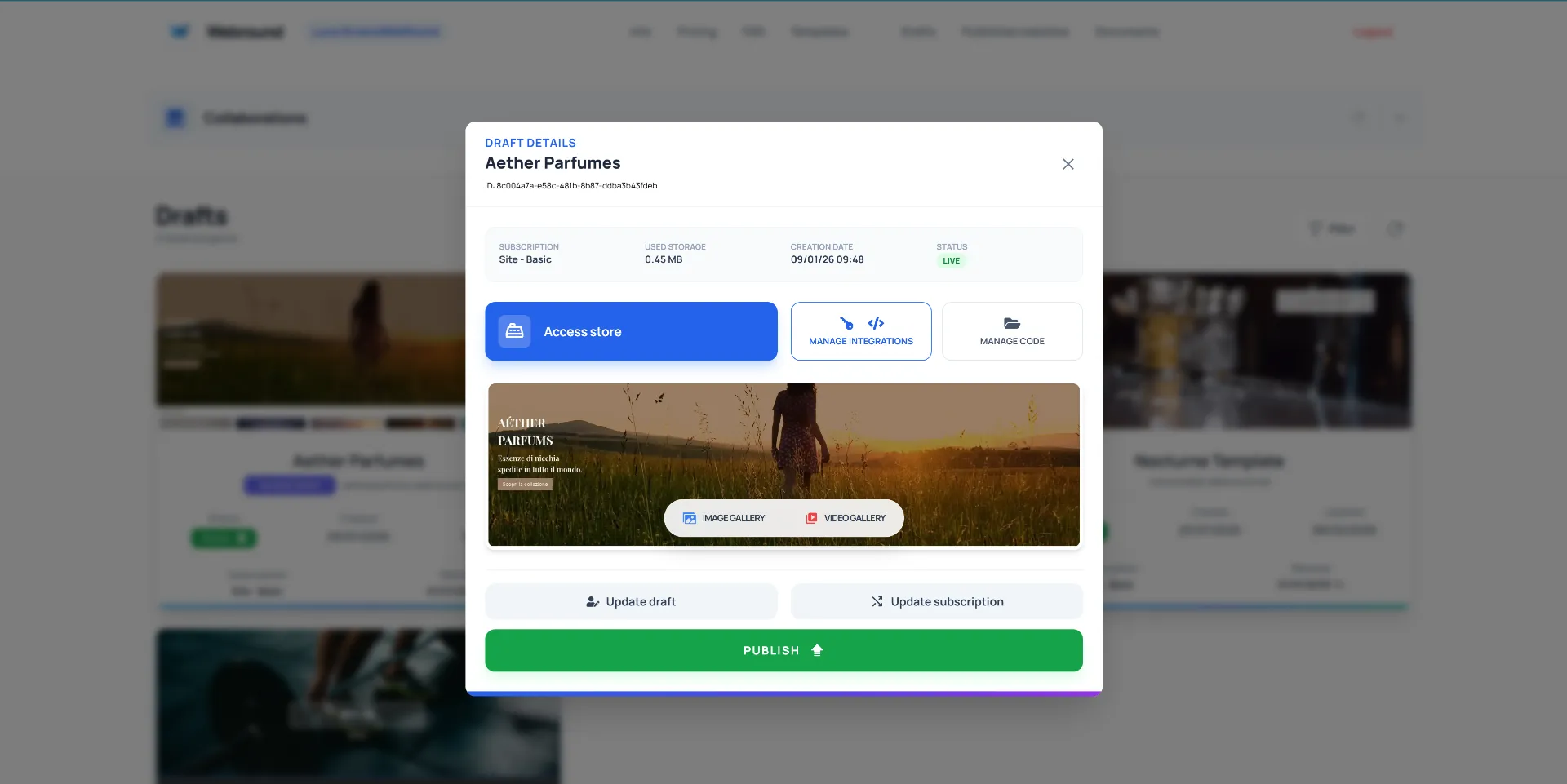
Click "Manage integrations" to manage the integrations for this specific Draft.
Use the hook form to add, edit or delete a specific hook from your Webround site's Edge Router.
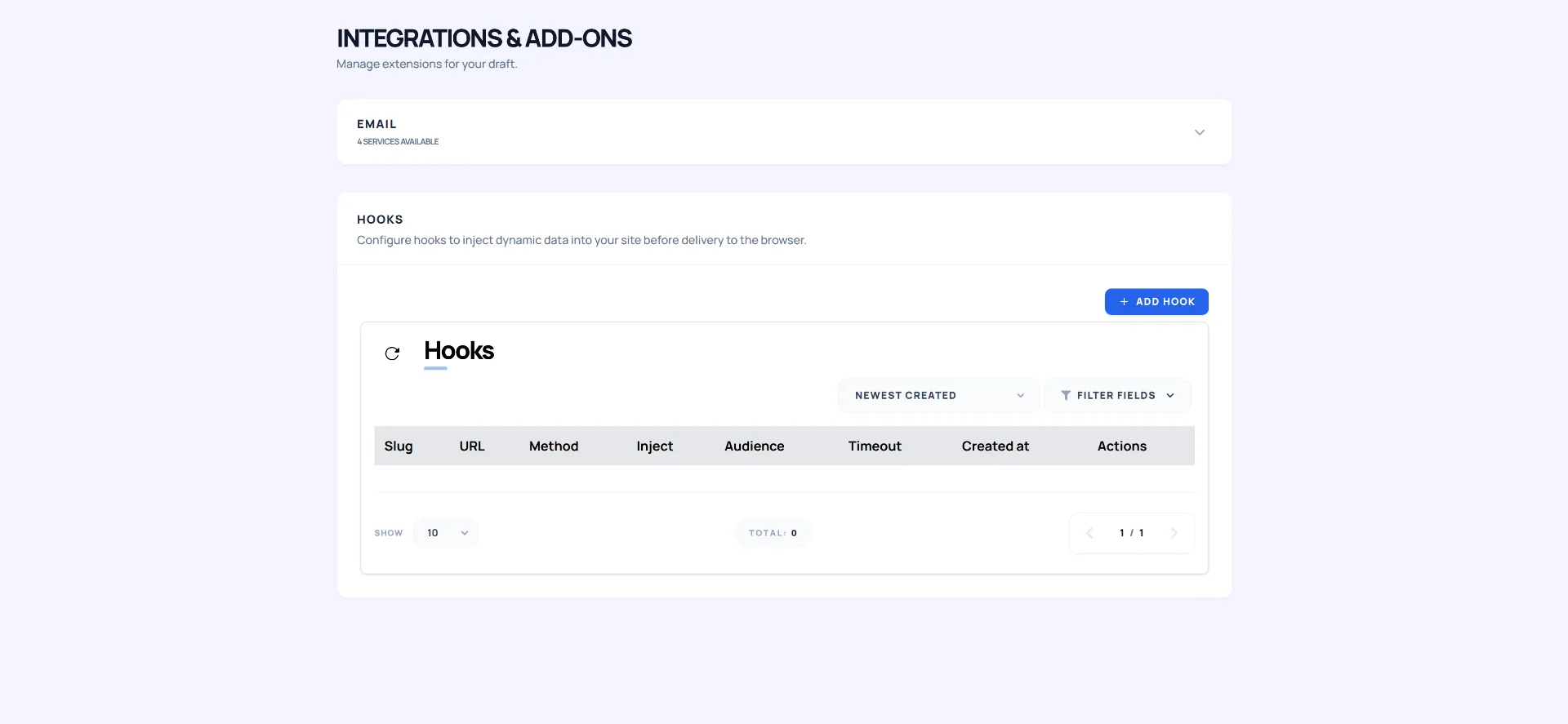
When done, save the hook. You can test it directly in the Webround editor. The hook will start injecting data immediately on the public site as well.
Next Steps: Consult the Apps guide to discover how to integrate external applications directly into your Webround admin panel.