Email Integrations
Email integrations in Webround manage all critical communications between your site and your users. These integrations are essential for two main areas:
- Contact Forms: All messages sent by users through the contact forms on your website.
- Transactional Emails: Critical system notifications such as registration confirmations, password resets, and account deletions.
Integration settings are managed within the Draft tab and are unique to each draft. This means two different drafts always have separate configurations, even when using the same service.
Webround Email
Webround Email is our built-in solution, designed for those with a smaller customer base or anyone looking for a "no-stress" integration. It is not intended for high-volume audiences due to specific functional constraints.
- Limits: Includes 300 emails per month. The counter resets on the first day of every month.
- Sender Identity: The sender will always appear as
[email protected]. However, you can set a Reply-To alias. Any replies sent to this alias are forwarded directly to your configured email address.
External Providers
For websites with a larger customer base, we provide native integrations with SendGrid, Mailersend, and Resend. In these cases, the configuration is slightly different, but the core concept remains the same:
- Sender Email: Your sending address. This can be any email address you have already configured within your chosen provider.
- Recipient Email: The mailbox where you receive contact form submissions. End users do not see this address; it is used exclusively by Webround for message forwarding.
- API Key: The secret credential for service access. This secret is stored with the utmost care and encrypted using the latest cryptographic techniques. We do not perform on-demand decryption, so no one—including you—can view your secret after it has been entered. Decryption occurs only for communication with the configured provider to grant interaction permissions.
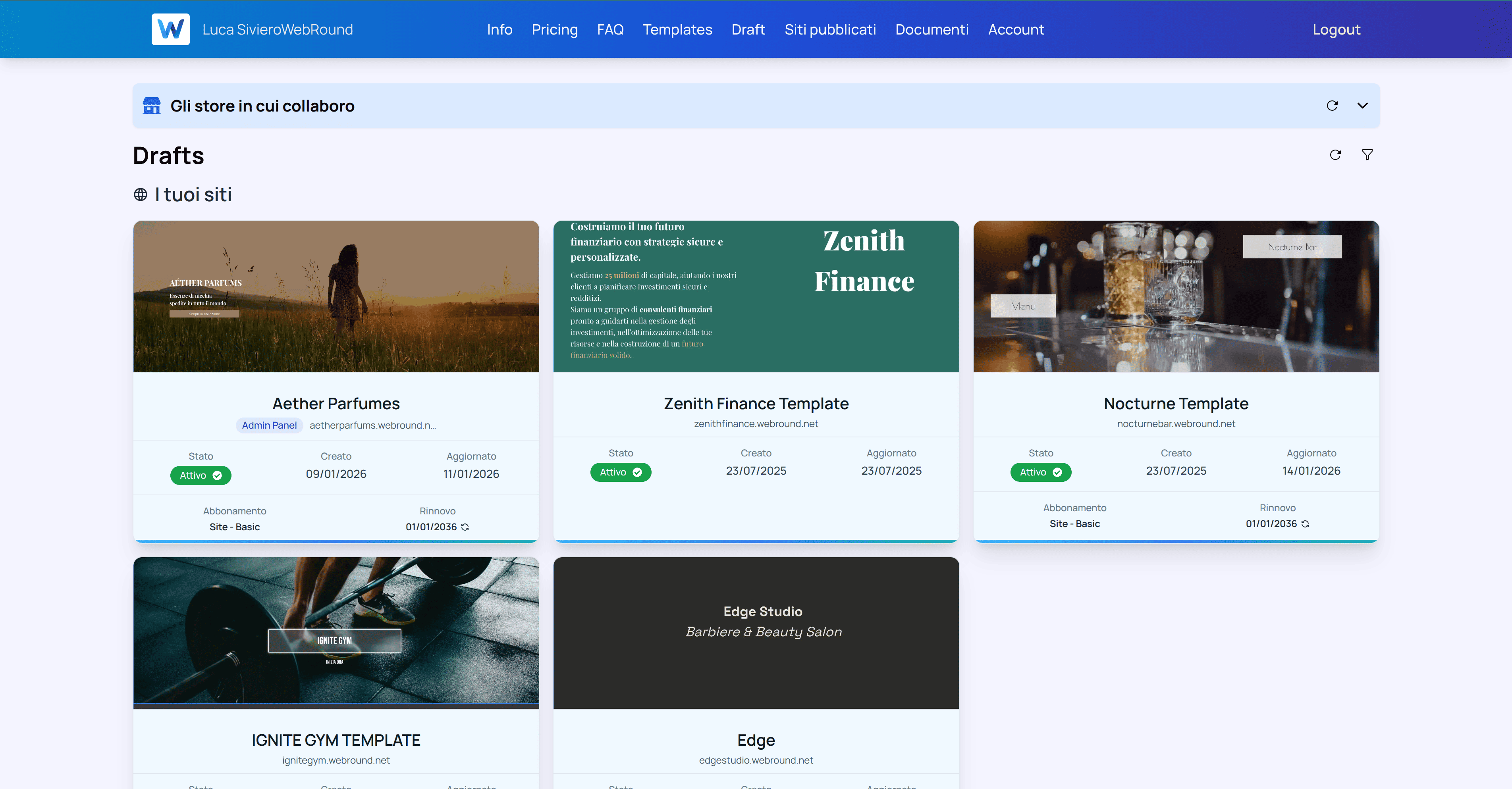
Recati nella pagina dei tuoi drafts e scegli il draft che vuoi configurare.
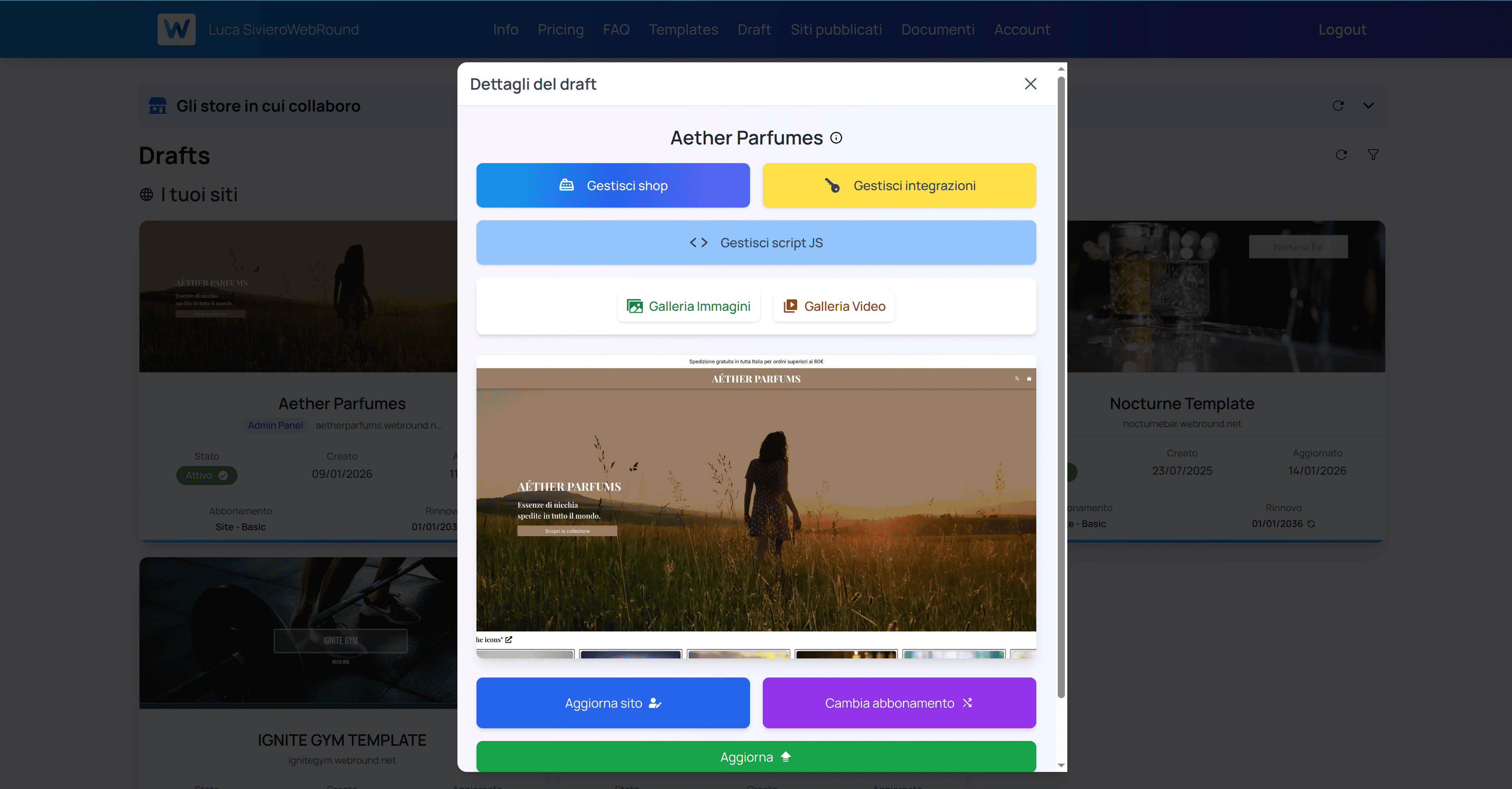
Clicca sul pulsante giallo "Gestisci integrazioni".
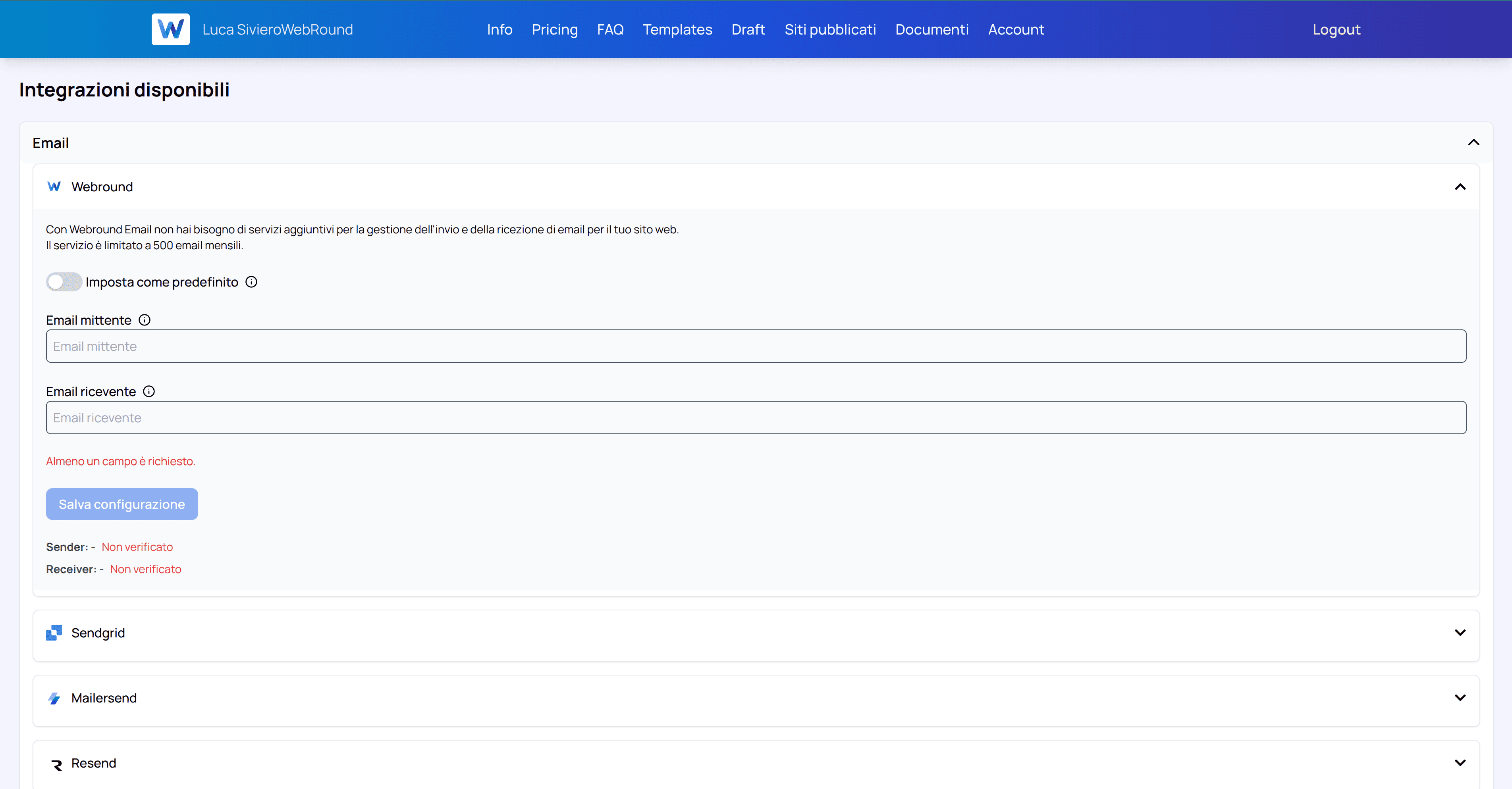
Inserisci i tuoi dati nel form e clicca applica. Non dimenticare di spuntare l'opzione "Imposta come predefinito".
After receiving the verification emails, return to your drafts, refresh them using the refresh icon (rotellina), and go back to your chosen integration. If everything is successful, you will see a green checkmark on the fields and your method will be saved as default.
Please note that the verification email is sent from [email protected], contains a verification link, and requires no further action. You will never be asked for additional data or information.
When Emails are Sent
Webround directly handles email delivery in these specific scenarios:
- Contact Form Submissions: When users contact you via a form, Webround triggers a mechanism that sends all request details to your configured email.
- New User Registration (Webround Auth): Users registering for your Webround Commerce store must confirm their email. Webround natively handles the delivery of this confirmation email.
- Email Verification Requests: If a user doesn't receive the initial confirmation, they can request a new link from their personal area.
- Password Change Requests: Users who forget their password can request a reset email. Webround natively manages this via your chosen provider.
- Account Deletion Requests: To ensure legitimacy, users requesting account deletion receive a confirmation link. Clicking this link starts the Webround procedure that, once confirmed, results in data deletion.
Customizing the Email Flow
With the exception of contact forms, Webround logs every user action via Webhooks. This provides a concrete and extensible auditing system. By listening to these events, you can capture the full payload—including signed links—and use this data for alternative workflows, such as sending fully custom emails.
Next Steps: Not sure which one to choose? Start with Webround Email to test your forms, then upgrade to a professional provider as your traffic grows.